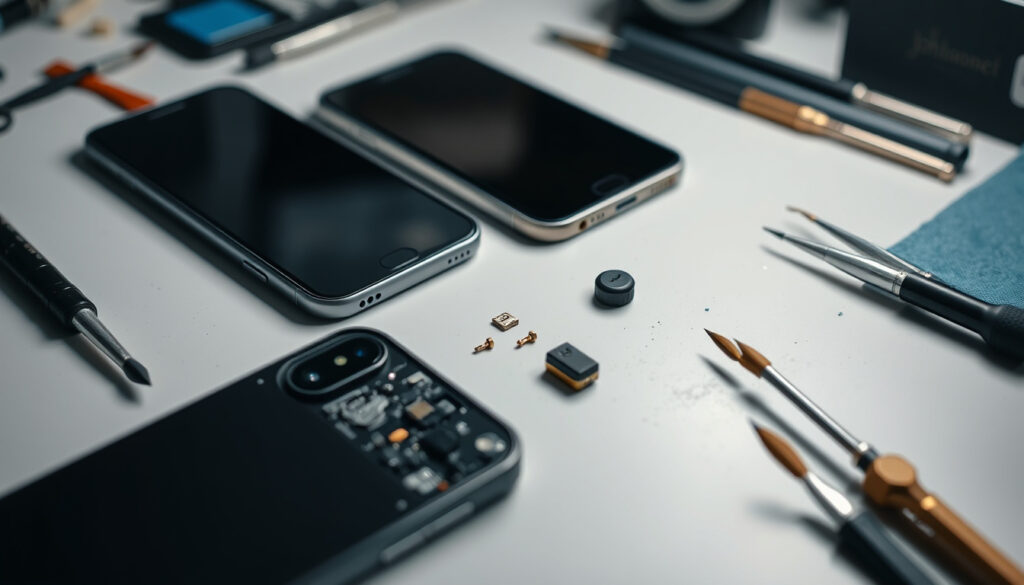
How to Fix Phone Microphone: Android, iPhone & Samsung Guide
Nothing kills a phone call faster than the other person saying “I can’t hear you.” Whether you’re on Android, an iPhone, or a Samsung Galaxy, microphone problems are almost always fixable without a repair shop — and the culprit is usually sitting right at the bottom of your phone. Here’s what actually works, drawn from official manufacturer troubleshooting and verified community fixes.
Platforms affected: Android, iPhone, Samsung · Top cause from SERP: Dust or debris in mic · Common first fix: Restart device · Official sources cited: Apple, Samsung support · Key steps average: 5–9 per guide
Quick snapshot
- Cleaning resolves dust issues per Samsung Levant Support (Official manufacturer)
- Samsung recommends updating software before troubleshooting (Samsung Latin Support (Official manufacturer))
- Hardware failure vs software on persistent cases — no published repair rate data
- Whether case type or material affects mic blockage frequency
- Samsung official mic guides predate 2026; YouTube fix videos span 2020–2026
- Test individual apps, update software, or seek repair if all fixes fail
| Label | Value |
|---|---|
| Top Android fix | Clean microphone |
| iPhone advice | Clear microphones |
| Samsung tip | No foreign material in mic |
| Universal step 1 | Restart device |
How do I fix my mic on my phone?
Start with the steps that fix the majority of cases before diving into platform-specific settings.
Restart your device
Restarting clears temporary software glitches that can interfere with microphone access. Hold the power button, select restart or power off, then power back on. For Samsung phones that are unresponsive, press and hold the Volume Down + Power buttons together until the device shuts down (YouTube: Samsung Mic Not Working Fix (Video tutorial)).
Check for physical blockages
The microphone sits at the bottom of nearly every smartphone. A lint-free cloth, a dry toothbrush, or a wooden toothpick will clear most debris. Avoid compressed air or metal tools — they can damage the grille (Android Authority (Tech publication)). On Samsung Galaxy devices, also check whether a screen protector or protective case is covering the mic hole — Samsung specifically flags this as a cause of poor voice recognition (Samsung Levant Support (Official manufacturer)).
Test in different apps
If the mic works in one app but not another, the issue is software. Test by recording a voice memo or using the camera. On iPhone, open Voice Memos and speak for 10 seconds — if the recording plays back clearly, the mic hardware is functional (Mobile Fix Experts (Tech repair guide)). On Samsung, use the Voice Recorder app to test — Samsung’s own troubleshooting guide recommends this as the first diagnostic step (Samsung US Support (Official manufacturer)).
The implication: software and debris account for the vast majority of mic failures — and both are within reach of any user without a repair shop visit.
Why can’t people hear me on my phone?
When calls are the problem but voice memos work fine, the issue narrows to two areas: permissions and the bottom mic specifically.
Permissions for apps
Each app needs explicit microphone permission. On Android, go to Settings > Apps > Permissions, find the app, and confirm microphone access is allowed (Android Authority (Tech publication)). On iPhone, open Settings > Privacy & Security > Microphone, find your app, and toggle it on (Mobile Fix Experts (Tech repair guide)).
Mic during calls only
If the mic works in system apps but not third-party ones, a targeted permissions reset for that specific app is the right move. Reset app preferences on Android or Reset All Settings on iPhone as an advanced step (Mobile Fix Experts (Tech repair guide)).
Speaker vs mic test
Make a test call and switch to speakerphone. If people can hear you on speaker but not on normal calls, the bottom microphone — used for standard calling — may be blocked or faulty (iFixit (Repair community)). Samsung documentation also notes that protective covers and screen protectors can obstruct the mic hole and prevent voice recognition (Samsung Levant Support (Official manufacturer)).
On the Galaxy S21, mic failures sometimes affect apps only — calls work fine, but voice input in WhatsApp or Google Meet fails. This pattern points squarely at app permissions or a specific mic element (such as the rear mic used for video) rather than hardware damage (iFixit (Repair community)).
How do I fix phone microphone on Android?
Android devices share core troubleshooting steps, though the exact settings path and naming vary by manufacturer.
Locate Android mic
Most Android phones have at least three microphones: one at the bottom for calls, one near the rear camera for video, and one near the top for front-camera recordings and noise cancellation (iFixit (Repair community)). When only one mic fails, test the others — recording a video checks the rear mic, for example.
Turn on mic permissions
The primary settings path is Settings > Security & Privacy > Privacy > Microphone, then manage individual app access (Android Authority (Tech publication)). Some Android versions route this through Settings > Apps > Permissions instead — the principle is the same. Also check that no background apps are using the microphone simultaneously, which can cause conflicts (YouTube: Android Settings Permission Walkthrough (Video tutorial)).
Clean Android mic holes
Use a non-metallic toothpick or dry brush on the bottom mic grill. Samsung advises against compressed air or metal tools that could bend or puncture the grille (Android Authority (Tech publication)). The bottom mic hole is the primary one used during phone calls.
Android Authority’s guide notes that mic issues are overwhelmingly software-related — repair shops are the last stop, not the first.
How do I fix phone microphone on iPhone?
iPhone mic troubleshooting follows Apple’s permission model and testing conventions.
Clear iPhone microphones
Check that a case or screen protector isn’t blocking the mic openings at the bottom and near the front camera. Wipe with a soft, dry cloth. If there’s visible debris in the bottom mic hole, a clean, dry toothbrush can dislodge it without pushing material further in.
Test in FaceTime
Apple recommends testing the microphone during a FaceTime call — if the other person reports clear audio, the mic is functioning. Alternatively, open Voice Memos, record a 10-second clip, and play it back to check (Mobile Fix Experts (Tech repair guide)).
Update iOS
Open Settings > General > Software Update and install any pending iOS update. Apple periodically fixes mic-related bugs in iOS releases. Restart the device after updating.
How do I reset my microphone?
Before resetting, confirm the mic works in system apps but not third-party ones — that pattern confirms a software permission issue and rules out hardware.
Software reset options
On Android, reset app preferences via Settings > Apps > Reset app preferences. This restores all permissions to defaults without deleting data. On iPhone, go to Settings > General > Transfer or Reset iPhone > Reset > Reset All Settings — this resets every system setting while preserving your data (Mobile Fix Experts (Tech repair guide)).
Factory reset as last resort
A factory reset wipes all data and is appropriate only after every other step fails. Back up first. This is the step where the mic issue either resolves or confirms hardware involvement (YouTube: Android Reset and Update Walkthrough (Video tutorial)).
Samsung specific troubleshooting
For Samsung Galaxy devices, boot into Safe Mode to test whether a third-party app is causing the mic failure. Swipe down, tap the power icon, hold Power off, then select Safe mode from the menu (Samsung US Support (Official manufacturer)). If the mic works in Safe Mode, a downloaded app is the culprit — uninstall recent apps one by one to find it. Samsung also recommends disconnecting any Bluetooth devices, as some 2020-model Samsung phones route mic input through paired Bluetooth accessories rather than the built-in mic (YouTube: Samsung Mic Not Working Fix (Video tutorial)). For the Galaxy S21 specifically, clearing the cache partition has resolved app-level mic failures reported in community discussions (iFixit (Repair community)).
The pattern: Safe Mode and Bluetooth checks catch issues that look like mic failure but aren’t — saving users an unnecessary trip to the repair shop.
Bluetooth routing caused mic failures for Samsung users in the 2020 model range — turning off Bluetooth restored normal operation in reported cases.
Upsides
- Most mic failures resolve with cleaning or a restart
- Permission fixes address app-specific failures without hardware work
- Safe Mode isolates third-party app conflicts on Samsung devices
- Samsung and Apple both provide free in-settings diagnostics
Downsides
- Hardware damage requires professional repair or replacement
- Bluetooth routing issues are device-specific and not always obvious
- Forum-reported issues (S20 FE, S21 app mic) lack published resolution rates
- Factory reset risks data loss without guaranteed outcome
“If there’s anything visible, try gently blowing on it and/or using a toothpick, paperclip, or SIM tool. Don’t use compressed air.”
— Android Authority (Tech publication)
“The phone may not be able to recognize your voice well if the microphone hole is blocked by foreign objects such as an attachable protective cover.”
— Samsung Latin Support (Official manufacturer)
What blocks the phone microphone most often?
Dust, lint, and debris at the bottom mic hole are the single most common cause of mic failures across all phone brands. Screen protectors and tight phone cases also frequently block or shift against the mic opening, especially on Samsung Galaxy devices.
Does restarting fix mic issues?
Yes, in many cases. A restart clears temporary software glitches that can block mic access. For unresponsive Samsung phones, a force restart (Volume Down + Power held together) can succeed where a regular restart fails.
Is phone mic hardware repairable at home?
Cleaning and software fixes are within home reach. Actual hardware replacement requires professional repair — and should only be considered after every software step has been exhausted.
What apps test phone microphone?
On iPhone: Voice Memos or Camera video. On Samsung: Voice Recorder app (recommended by Samsung’s own troubleshooting guide). On Android: any recording app or video camera will reveal whether the mic captures audio.
Does software update fix mic problems?
Samsung explicitly recommends checking for software updates before beginning any other mic troubleshooting. Mic-related bugs have been resolved in iOS and Android updates across multiple versions.
Why is mic quiet on speakerphone?
If the mic works on regular calls but not speakerphone, the issue may involve Bluetooth routing — especially on Samsung phones from 2020 onward, where paired Bluetooth devices can redirect mic input away from the phone’s built-in mic.
Related reading: phone customer service · best apps for phone
More related posts
 Red Sox Schedule 2025: Printable PDF, NESN, Tickets
 CarMax Sell My Car: No-Haggle Process and Offer Tips
 Phillies vs Dodgers Match Player Stats: Game 4, Errors & Stories
 3/4 as a Decimal: How to Convert & Why It Equals 0.75
 Boats for Sale Near Me: Find Used Boats in Ireland | Guide
 Worms in Dog Poop: What to Do, Treatment & Prevention
 Blinded by the Light Lyrics – Meaning and Deuce Explained
 Best Nail Salon Near Me in Dublin: Prices, Health Tips & Red Flags