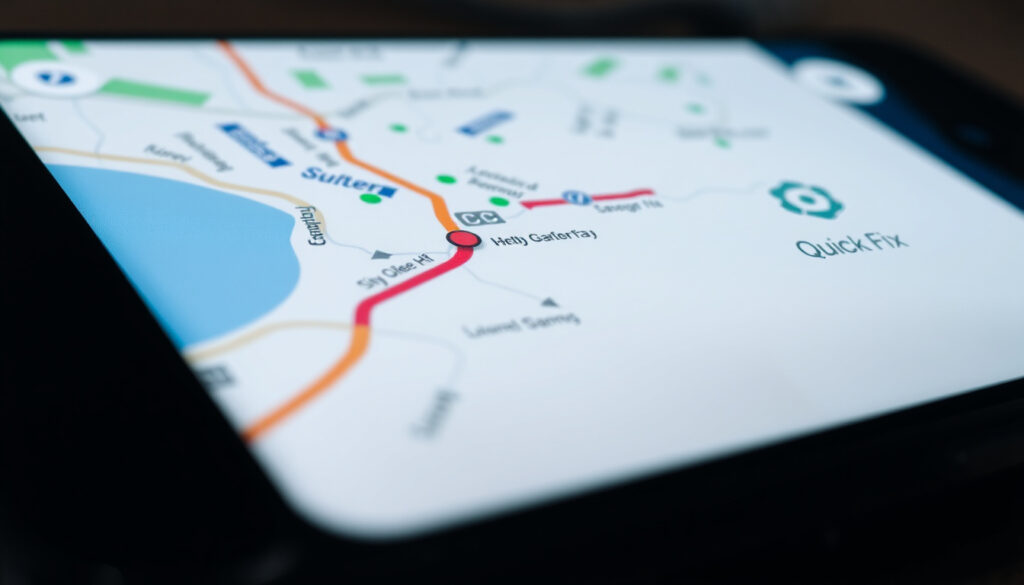
Google Maps Media Controls Removed: How to Fix on Android
Google Maps on Android lost its media playback bar on July 19, 2025, leaving drivers unable to pause, skip, or adjust volume without switching screens. Google confirmed the disappearance was a bug in versions 25.28 and 25.29, pushed a server-side fix by July 24, and restored controls through Navigation settings — but only for YouTube Music and Spotify.
Affected platform: Android · iOS status: Controls functional · Reports started: July 2024 · Toggle location: Navigation settings · Top complaint source: Reddit threads
Quick snapshot
- Bug affected Android Google Maps v25.28 and v25.29
- Whether third-party podcast apps will ever be supported
- Google fixed the bug within days of public acknowledgment
- Check your version and reconnect apps if controls are still missing
The table below summarizes the bug timeline and fix status across affected versions.
| Detail | Status |
|---|---|
| Feature removed from | Android Google Maps |
| iOS equivalent | Still available |
| Fix toggle path | Settings > Navigation settings |
| First reports | July 2024 forums |
| Bug versions affected | 25.28 (stable), 25.29 (beta) |
| Fix versions confirmed | 25.28.04, 25.30.00 |
How to get media controls on Google Maps?
If controls vanished and you’re running an older Android version, the fix starts in settings. The path is consistent across manufacturers whether you use a Samsung Galaxy, Nothing Phone, or Google Pixel.
Open Google Maps > tap your profile picture > Settings > Navigation settings > toggle Show media playback controls. If a Default media app option appears, select YouTube Music or Spotify.
Check navigation settings toggle
Start by opening the app and confirming you’re signed into the same Google account used for navigation. Navigate to Settings > Navigation settings. Look for a toggle labeled “Show media playback controls.” If that toggle is missing or greyed out, your app may still be running the buggy version — check for updates in the Play Store.
Connect media app manually
Under the same Navigation settings menu, a “Default media app” field lets you specify which service should receive playback commands. YouTube Music appears by default if installed; Spotify shows up when detected on your device. Third-party podcast apps like Pocket Casts are not currently supported by the feature.
Update or rollback app version
The fix arrived as a server-side update rather than a traditional app version bump. Google Maps versions 25.28.04 and 25.30.00 confirmed the return of media controls on multiple Android devices. If you see no update available, force-close the app and restart — the server-side push sometimes requires a fresh launch to activate.
For most drivers, reconnecting the preferred music app in Navigation settings and force-restarting the app resolves the issue.
Media playback while navigating in Google Maps is gone
The disappearance hit Android users on July 19, 2025, when media playback controls vanished mid-route. Unlike a gradual degradation, this was an all-or-nothing removal — the entire bar disappeared regardless of which music or podcast app was active.
Android-specific removal
The bug affected Google Maps version 25.28 on the stable track and version 25.29 in beta. The Settings > Navigation menu lost the “Show media playback controls” toggle and “Default media app” option during this window. Users running either version on Samsung Galaxy, Nothing, or Pixel devices reported identical symptoms — no controls, no workaround through reinstalling or restarting.
iOS unaffected
The media controls feature remained fully functional on iOS during the same period. This asymmetry pointed to an Android-side code change rather than a backend service issue. Google later confirmed the problem was a bug specific to Android builds, not an intentional feature change.
User reports from Reddit
Reddit threads filled quickly with drivers describing the same experience: no controls during navigation, reinstalling the app did not resolve it, and no visible toggle in settings. The top complaint centered on safety — manually switching between Google Maps and Spotify or YouTube Music while driving creates distraction that the integrated controls were designed to eliminate.
The pattern shows the bug hit across manufacturers simultaneously, confirming an Android-side code issue rather than a device-specific problem.
How do I go back to the old version of Google Maps?
Downgrading to a previous Google Maps version is not supported through the Play Store. Google does not maintain an archive of older APK files for public download, and sideloading unofficial builds carries security and stability risks.
Downgrade steps for Android
There is no official path to revert. APKMirror and similar third-party APK repositories sometimes host older versions, but these builds are unsigned by Google and may trigger security warnings or lose access to certain account features. Google does not recommend or support these alternatives.
Risks of sideloading APK
Sideloaded Google Maps builds may fail to authenticate properly, lose sync with your saved places and navigation history, or stop receiving backend updates entirely. The security model on Android also treats sideloaded apps differently — you may need to adjust device settings to allow installation from unknown sources, and the app may behave unexpectedly with Assistant integration.
Wait for official fix
In this case, waiting paid off. Google pushed a server-side fix that restored the Navigation settings toggles without requiring users to install a new app version. For most users, the controls returned automatically once the server-side update propagated — typically within 24 to 48 hours of Google’s acknowledgment.
The implication is that sideloading older versions carries real risks with no guarantee of restoring the media bar — and the official fix arrived faster than typical Google patch cycles.
Why won’t my Google Maps give me audio directions?
Media playback controls and voice navigation are separate systems. If your concern is audio directions rather than music controls, the troubleshooting path is different and the bug did not affect voice navigation output.
Voice nav vs media playback difference
Voice navigation relies on Google’s speech synthesis and routing engine — it speaks turn-by-turn directions independent of music playback. The media playback bar controlled music, podcasts, and other audio apps. The July 2025 bug removed only the media bar; voice directions continued working normally.
Fix voice issues separately
If you’re not receiving audio directions at all, check that the volume is turned up during navigation — Google Maps sometimes routes audio through the navigation channel rather than media. You can also go to Settings > Navigation settings > Play voice during calls and confirm that the “Voice navigation” toggle is enabled.
Check permissions
Make sure Google Maps has permission to access your device’s microphone and storage. On Android 12 and later, the “Approximate location” permission is not sufficient for navigation accuracy. You need “Precise location” enabled for turn-by-turn to function correctly.
Drivers experiencing missing audio directions should check volume and location permissions separately — the media controls bug did not affect voice navigation output.
Google Maps media playback controls missing
After the fix, some users still report missing or malfunctioning controls. The issue may stem from an outdated app cache, an unsupported media app, or a version mismatch between app and server-side configuration.
Reconnect apps in settings
The fix restored the Settings > Navigation > Show media playback controls toggle. If controls are still absent, verify that your app version has received the server-side push. Force-close and reopen Google Maps, or check for a pending update in the Play Store. Once reopened, navigate with an active route and expand the bottom card — after the fix, controls appear in the expanded card rather than the collapsed view.
Clear cache workaround
Clearing the Google Maps cache can force a fresh configuration fetch. Go to Settings > Apps > Google Maps > Storage > Clear Cache. This does not delete your saved places or search history but can resolve stale server-side flags that block feature activation.
Alternatives like Bluetooth controls
If media controls remain unavailable, steering wheel controls and car stereo Bluetooth pairing remain functional alternatives. Most Android Auto head units display Now Playing information through the phone’s media notification, which can be controlled without opening the Google Maps app. This approach bypasses the media bar entirely and works with any media app, including podcast services.
Drivers who still cannot see controls should clear the app cache and expand the navigation card to verify restoration — Bluetooth media buttons provide a reliable fallback for any audio app.
Timeline
The bug unfolded and resolved within a single week — fast by Google’s typical patch cadence, which suggests the company prioritized the issue due to driver safety concerns raised across forums.
The timeline below shows how quickly the issue escalated and was addressed by Google’s team.
| When | What happened |
|---|---|
| Early 2025 | Google removes Assistant Driving Mode from Google Maps |
| July 19, 2025 | Media playback controls disappear from Google Maps on Android v25.28 and v25.29 |
| July 21, 2025 | Google acknowledges the bug and confirms it is actively working on a fix |
| July 24, 2025 | Fix confirmed on Google Maps v25.28.04 and v25.30.00 via server-side push |
Google’s fast acknowledgment and server-side fix suggest the bug was unintentional — but the underlying support gap for podcast apps remains.
Confirmed vs. unclear
Confirmed facts
- Bug affected Android Google Maps v25.28 (stable) and v25.29 (beta)
- iOS media controls remained functional throughout
- Google acknowledged the bug on July 21, 2025
- Fix pushed via server-side update, versions 25.28.04 and 25.30.00
- Controls restored but now appear in expanded navigation card
- YouTube Music and Spotify are the supported music apps
What’s unclear
- Whether Google plans to expand support to podcast apps
- If the UI panel covering issue mentioned in forums has been addressed
- Whether the feature will return to the collapsed card view
- Long-term roadmap for media controls under Gemini transition
What people are saying
We are actively working to fix an issue that is affecting media playback controls on Google Maps.
— Google spokesperson, confirmed to 9to5Google (technology news outlet)
The lack of media access has forced many to manually switch between apps, a process that can be distracting or unsafe during travel.
— Hindustan Times (news publication)
It’s been a rough ride for Google Maps users this week, with music controls suddenly disappearing from the navigation UI over the weekend.
— Android Police (specialist Android publication)
Summary
Google Maps media controls vanished on Android over the weekend of July 19, 2025, affecting users on versions 25.28 and 25.29 across Samsung Galaxy, Nothing, and Pixel devices. Google acknowledged the bug on July 21 and pushed a server-side fix by July 24, restoring controls through the Navigation settings menu. The feature now supports YouTube Music and Spotify, while third-party podcast apps remain unsupported — a limitation that traces back to the deprecation of Assistant Driving Mode earlier in 2025. Drivers who rely on quick access to music during navigation face continued limitations with non-Google media apps if Google does not expand support.
Related reading: How to Fix Phone Microphone on Android
timesofindia.indiatimes.com, support.symfonium.app, forums.pocketcasts.com
Frequently asked questions
Why did Google Maps remove media controls?
The disappearance was unintended — Google confirmed it was a bug affecting Android builds, not an intentional removal. The bug affected Google Maps versions 25.28 (stable) and 25.29 (beta).
How do I reconnect media apps in Google Maps?
Open Google Maps > tap your profile > Settings > Navigation settings > toggle “Show media playback controls.” Select your preferred app under “Default media app” if the option is available.
Are media controls gone forever on Android?
No. Google pushed a server-side fix that restored controls on versions 25.28.04 and 25.30.00. If you’re still missing controls, clear the app cache or check for a pending Play Store update.
Does this affect iOS Google Maps users?
No. The media controls feature remained functional on iOS throughout the same period. The bug was specific to Android builds.
What to do if the navigation settings toggle is missing?
Force-close Google Maps, reopen it, and check for updates in the Play Store. If the toggle is still absent, your app may not have received the server-side push yet.
Can I control music via Bluetooth instead?
Yes. Steering wheel controls, car stereo Bluetooth pairing, and Android Auto head units display and control music playback independently of the Google Maps media bar.
Is there an official fix timeline from Google?
Google has not published a detailed timeline beyond confirming the fix was actively being worked on as of July 21, 2025, and was resolved by July 24, 2025.
More related posts
 Squid Game Season 2 – Release Date Cast Episodes Guide
 Self Defense Classes Near Me: Ireland Guide 2026
 Butcher Shop Near Me: Butcher vs Supermarket Guide (Dublin)
 Screen Repair Near Me: Cost, Worth, DIY vs Shop (2025 Guide)
 Colorado School of Mines: Prestige, Cost, and Admissions
 Build-A-Bear Near Me: Ireland Locations, Prices & Events
 Bobby Witt Jr Stats: 2024, Career, Home Runs & More
 Ice Hockey at the Olympic Games 2026 Schedule and Results