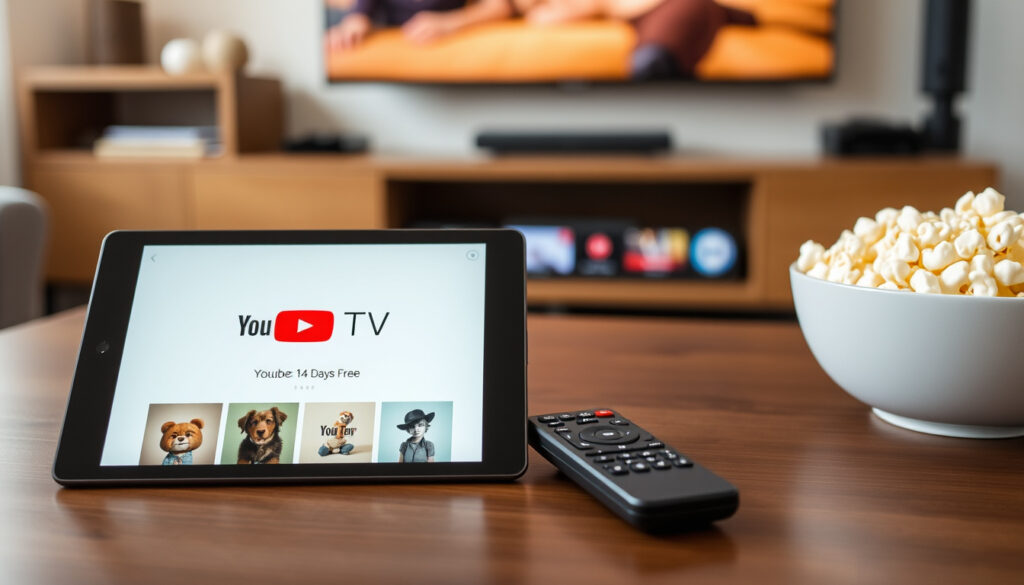
YouTube TV Free Trial: How to Get 14 Days Free & What to Know
Few things in streaming feel as good as a free trial that actually gives you everything you want to watch. But with YouTube TV, the standard offer is 14 days — and here’s exactly what you get, how long it lasts, and what changes when the trial ends.
Standard free trial duration: 14 days ·
Eligibility: New users only ·
Channels included: 100+ live TV channels ·
Price after trial: $72.99/month
Quick snapshot
- Standard trial is 14 days for new subscribers (Google Help)
- Credit card required to start trial (Google Help) (Google Help)
- Whether 30-day free trials are still offered (DealNews)
- Exact terms for promotional 10-day or 3-month deals (CableTV.com)
- Extended trials (14-21 days) often appear during major sports events (DealNews)
- Trial length can vary by promotion (Google Help)
- Trial auto-converts to $72.99/month (CableTV.com)
- Cancel anytime before renewal for no charge (Google Help)
The table below condenses the essential information about the YouTube TV free trial.
| Feature | Details |
|---|---|
| Standard free trial length | 14 days |
| Monthly price after trial | $72.99 |
| Credit card required | Yes |
| Cancellation | Any time before trial ends |
| Trial eligibility | New subscribers only |
Is there a 30 day free trial for YouTube TV?
Standard trial duration (14 days)
- YouTube TV’s official Google Help page confirms new subscribers are eligible for a free trial.
- The same page instructs users to check their remaining trial days under Settings > Membership — it does not specify a fixed length there, but the standard offer widely reported is 14 days.
Fourteen days is the baseline. That’s enough time to watch a couple of NFL games, catch a news cycle or two, and decide whether the channel lineup justifies the monthly price. The trial gives full access to all channels included in the plan you choose — local affiliates, national news, sports networks, and entertainment — with no restriction during the trial period (Google Help).
Past promotional offers (30-day trial)
- DealNews reports that 30-day trials have appeared through special partnerships — typically when you purchase a new streaming device like a Roku or Chromecast.
- These offers are limited to new subscribers and are not guaranteed year-round.
If you’ve heard someone say they got 30 days for free, they almost certainly got it through a device bundle or a seasonal promotion — not the standard sign-up flow. DealNews notes that any three-month discounted-rate offer or extended free trial is strictly limited to new subscribers by Google’s terms.
Current official policy
- As of 2025, the standard YouTube TV free trial is 14 days for all new users who haven’t subscribed before.
- Promotional offers — including 30-day trials — may appear during events like the Super Bowl or the NBA Finals (DealNews).
A new subscriber hoping for a full month of free TV will likely be disappointed by the standard offer. The 14-day standard is short enough that you’ll need to decide within two weeks whether to commit to $72.99 per month — and promotional 30-day trials are rare enough that you can’t count on one.
The pattern is clear: the standard trial is short, and promotional offers are unreliable. New users should plan accordingly.
How to get YouTube TV for free?
Eligibility requirements
- You must be new to YouTube TV and have not signed up for a free trial before (Google Help).
- A valid form of payment — credit or debit card — is required to start the trial.
No credit card, no trial. YouTube TV requires a payment method even though you won’t be charged during the free period. That’s standard practice among streaming services, with the same rule applied by Google’s official support page.
Step-by-step sign-up
- Go to tv.youtube.com or open the YouTube TV app on your device.
- Select “Try it free” or “Start free trial.”
- Choose your base plan (the standard plan is $72.99/month after trial).
- Enter a valid credit or debit card.
- Confirm your location for local channel availability.
- Start streaming.
The entire process takes under five minutes. Once signed up, you get immediate access to all base-plan channels plus the option to trial add-ons like HBO Max, Spanish Plus, or the 4K Plus add-on before committing to a paid upgrade, per Google Help.
Devices that support YouTube TV
- Smart TVs (Samsung, LG, Vizio, Hisense, and others with native YouTube TV apps).
- Streaming devices and sticks: Roku, Chromecast with Google TV, Amazon Fire TV, Apple TV.
- Mobile: iOS and Android phones and tablets via the YouTube TV app (YouTube TV).
- Web browsers on Windows, macOS, and ChromeOS.
- Game consoles: PlayStation and Xbox.
A YouTube TV promotional page for the show “7 Days” highlights that trial users can stream live TV from ABC, CBS, FOX, NBC, ESPN, and popular cable networks across all these devices.
How to get a 10 day free trial of YouTube TV?
10-day trial availability
- A 10-day free trial is not currently the standard offer for YouTube TV.
- CableTV.com reports a 10-day trial was listed for June 2026, but free-trial lengths vary.
The 10-day trial appears intermittently — often as a limited-time promotion tied to a partner brand or seasonal event. CableTV.com’s deal roundup described a 10-day trial as a June 2026 offer, with the note that free-trial length varies, so you can’t assume 10 days is still running when you read this.
Differences from standard trial
- The 10-day trial may include the same full channel access as the standard 14-day trial.
- Both require a valid credit card and are only available to new subscribers.
Functionally, the only difference is a shorter window to decide. You get the same 100+ channels, unlimited cloud DVR, and six accounts per household — just four fewer days.
How to claim a 10-day offer
- Check deal sites like DealNews and CableTV.com for active promo codes.
- Some 10-day offers are available only through partner landing pages (e.g., a cable TV comparison site or a streaming device manufacturer).
If you find a 10-day offer, read the fine print carefully. Some promotional links expire within 30 days of being published or apply only to a specific device bundle, per CableTV.com’s tracking.
Fewer days means less time for testing features like cloud DVR and multi-room streaming. If you’re after a longer evaluation, the standard 14-day trial gives you almost 50% more time with the same features — no promo code needed.
The trade-off is clear: a shorter trial gives less time to evaluate, so the 14-day standard remains the best option.
Is YouTube TV actually free?
Free trial vs free service
- YouTube TV is not a free service — it’s a paid subscription that offers a limited free trial for new users.
- The trial gives full access to the base plan for its duration (Google Help).
The distinction matters: “free” means a limited-time promotional period, not a permanent product. YouTube TV is no different from Netflix or Hulu in this regard — the trial exists to convert you to a paying subscriber.
Cost after trial ends
- The base YouTube TV plan costs $72.99 per month.
- CableTV.com listed $82.99 per month as of June 2026 — a price that may reflect a recent increase or include add-ons.
Two key figures to watch: the current base price of $72.99 and any reported price of $82.99. CableTV.com’s tracking suggests the price has risen over time, consistent with YouTube TV’s history of annual increases.
Hidden fees or commitments
- There are no hidden fees during the trial — you are charged $0 upfront.
- After the trial, auto-renewal starts unless you cancel before the end date (Google Help).
- No early termination fees: you can cancel at any time without penalty.
The only real commitment is the risk of forgetting to cancel. Set a reminder in your phone for day 12, because auto-renewal will quietly convert your free trial into a $72.99 monthly charge otherwise.
Pros & cons
Upsides
- Full channel access during trial (no restriction)
- Cancel anytime, no fees
- Cloud DVR with unlimited storage included
- Up to 6 accounts per household
Downsides
- Credit card required to start trial
- Only for new, never-subscribed users
- Trial is short at 14 days
- Auto-renews at $72.99/month if not canceled
The pros and cons illustrate that the free trial is a genuine opportunity with a clear deadline. Knowing the rules in advance prevents unwanted charges.
How to cancel your YouTube TV free trial?
Cancellation steps
- Open the YouTube TV app or go to tv.youtube.com.
- Click your profile icon in the top-right corner.
- Select Settings > Membership.
- Click “Cancel membership” / “Pause membership.”
- Confirm the cancellation.
That’s it. Google Help confirms you can cancel anytime before the trial ends and won’t be charged. Your account remains active until the trial period expires — you don’t lose access immediately.
Refund policy
- If you cancel during the trial, you receive no charge — no refund is needed because nothing was paid.
- If you cancel after the first paid month, Google Help states that you’ll retain access until the end of the billing period.
The policy is straightforward: cancel on the right side of the trial end date and you pay nothing. Cancel even one minute after auto-renewal and you’ve paid for the month — no partial refund.
What happens after cancellation
- Your account is paused, not deleted — you can reactivate at any time with your same settings and DVR recordings.
- Access to live TV and DVR ends on the expiration date of your current billing cycle (Google Help).
“You are eligible to redeem a free trial if you’re new to YouTube TV and haven’t signed up for a free trial before.”
“Free-trial length can vary significantly, especially during promotional periods.”
The cancellation process is designed to be painless, but the risk of forgetting the deadline means you should act proactively. Setting a calendar reminder is the simplest safeguard.
Related reading: YouTube TV free trial – official help page · YouTube TV free trial guide
For those looking to save even more, YouTube TV promo codes can provide additional discounts beyond the standard free trial.
Frequently asked questions
Does YouTube TV free trial require a credit card?
Yes. A valid credit or debit card is required to start the free trial, even though you won’t be charged during the trial period (Google Help).
Can I watch YouTube TV abroad during the free trial?
YouTube TV is only available within the United States. If you travel outside the US, you may lose access to live TV and DVR content, depending on local licensing restrictions (Google Help).
How many family members can use the trial?
Up to six accounts per household can share the base plan, each with their own DVR and recommendations. All accounts share the same trial period (Google Help).
What happens if I cancel on the last day of the trial?
You will not be charged. Your account remains active until the trial period ends, then access stops. You can restart anytime with the same plan if you’re eligible (Google Help).
Can I get a free trial if I already subscribed before?
No. The free trial is limited to new subscribers who haven’t signed up for YouTube TV before. If you previously subscribed and canceled, you are not eligible for another free trial (Google Help).
Does the free trial include premium channels?
You can trial add-ons like HBO Max, Spanish Plus, or the 4K Plus add-on during the free trial before adding them to a paid membership. The base trial only includes the channels in the plan you selected (Google Help).
Is the free trial available in Canada or UK?
No. YouTube TV is currently only available in the United States and does not offer a free trial in Canada, the UK, or any other country (Google Help).
Related reading
- YouTube TV free trial – official help page (Google Support – official trial policy)
- DealNews – YouTube TV free trial guide (Deal tracking and promotional trial history)
- CableTV.com – YouTube TV deals and promos (Price tracking and current offers)
- YouTube TV – “7 Days” promotional page (Official channel lineup and trial CTA)
For most new users, the 14-day free trial offers the best balance of time and features to evaluate YouTube TV before committing to the monthly subscription.
More related posts
 Microsoft Customer Service Phone Number 24/7: Get Help Now
 How to Organize a Small Closet: Best Setup, Tips & Mistakes
 Which Expression Is Equivalent To? Methods & Examples
 Netflix Black Friday Deal: Does One Exist
 What Is a Black Hole? NASA Basics Explained
 Blue Cross Blue Shield of Texas – Plans, Login and Member Guide
 Sophie Rain Spider-Man Video: Real Story and Where to Watch
 Come as You Are Book: Summary, Key Takeaways, and Review